Expert's Rating
Pros
- Long battery life
- Slim and lightweight
- Decent keyboard and trackpad
Cons
- Dim and glossy display can be hard to see
- Priced too close to better PCs
- Outperformed on many fronts
Our Verdict
The HP Omnibook X is an effective laptop and makes decent use of its Snapdragon processor to run for hours on end, but it’s not setting itself dramatically apart and skimps in other areas enough that it just doesn’t stand out.
HP has jumped on the AI bandwagon, offering up the new Omnibook X powered by a Qualcomm Snapdragon X Elite, which boasts an NPU capable of 45 TOPS. HP packages it all in a stylish design and has slapped a modest premium onto it, with the HP Omnibook X sitting at a little over $1,000.
But with plenty of competition both from other Snapdragon-powered laptops like the Samsung Galaxy Book4 Edge and Ryzen-powered Asus Zenbook 14 OLED, the HP Omnibook X is squaring up against competitors that it may not have what it takes to knock down, especially with so many areas where HP seems to have kept things basic.
Further reading: Best laptops 2024: Premium, budget, gaming, 2-in-1s, and more
HP Omnibook X: Specs and features
The HP Omnibook X doesn’t come with many configuration options. It starts out at $1,149, offering up a Snapdragon X Elite X1E-78-100 CPU with 16GB of fast LPDDR5x memory and 512GB of storage. At the time of writing, the only hardware upgrade available was a doubling of storage for $100 or bumping it to 2TB for $200. That said, buying a pre-configured model with 1TB of storage is a more reasonable $50 price increase instead.
HP offers a meteor silver (a dark gray) color as a default, though a white option is available for $10 more. Windows 11 Pro is also available as an upgrade for $69 extra. The model we tested just has the 1TB storage upgrade, coming in at $1,199.
- CPU: Qualcomm Snapdragon X Elite X1E-78-100
- Memory: 16GB LPDDR5x
- Graphics/GPU: Qualcomm Adreno integrated graphics
- Display: 14-inch 2240×1400 IPS Touchscreen
- Storage: 1TB PCIe Gen4 SSD
- Webcam: 5MP
- Connectivity: 1x USB4, 1x USB-C 10Gbps with Power Delivery and DisplayPort Alternate Mode, 1x USB-A 10Gbps, 1x 3.5mm combo audio
- Networking: WiFi 7, Bluetooth 5.4
- Biometrics: Windows Hello facial recognition
- Battery capacity: 59 watt-hours
- Dimensions: 12.32 x 8.8 x 0.56 inches
- Weight: 2.95 pounds
- MSRP: $1,199 as-tested ($1,149 base)
The HP Omnibook X is a fine laptop, offering respectable performance and excellent battery life. It’s built reasonably well and looks nice enough, but it just feels like there are too many areas where it’s falling short for a laptop that costs over $1,000.
HP Omnibook X: Design and build quality
IDG / Mark Knapp
IDG / Mark Knapp
            <div class="scrim" style="background-color: #fff" aria-hidden="true"></div>
    </div></figure><p class="imageCredit">IDG / Mark Knapp</p></div>
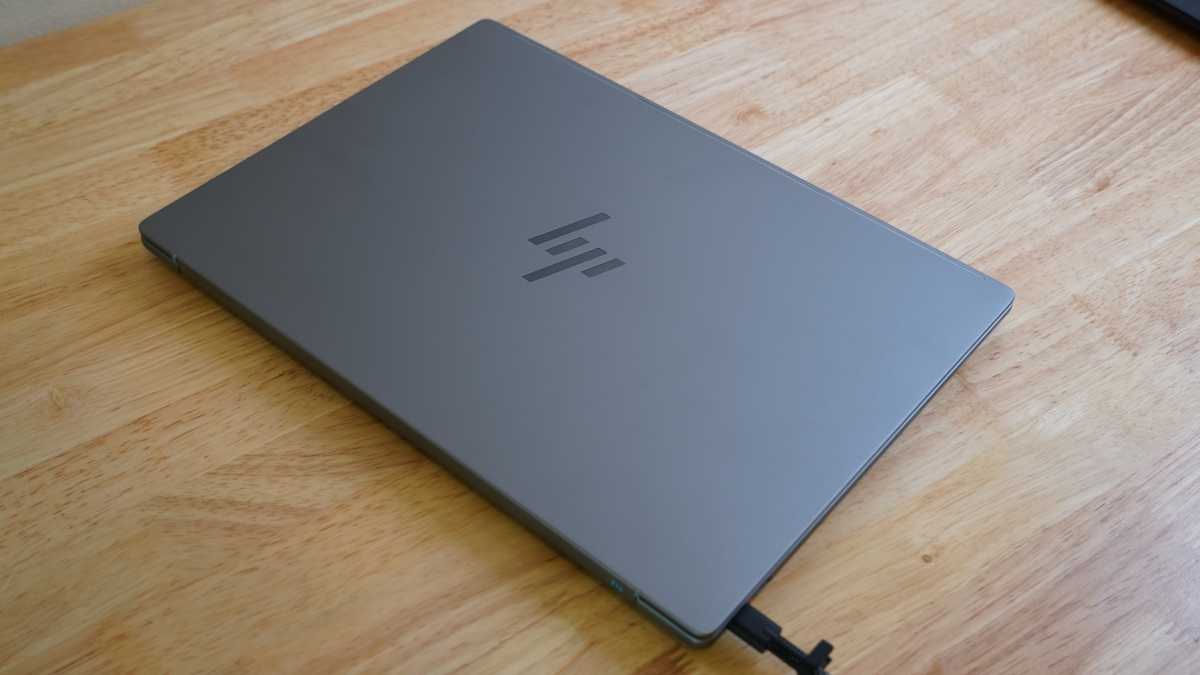
The HP Omnibook X isn’t a huge departure from HP’s other recent laptops. It bears a striking resemblance to the latest HP Envy x360 14, albeit without the 360-degree hinge. It boasts an aluminum enclosure in a dusky gray (or a white colorway), and it feels relatively robust with little keyboard deck flex and little bending to the display.
The keyboard is a deeper gray and, contrasting from other HP systems, features yet another shade of gray for the function row and a slate blue for the power button. It’s an interesting playfulness for key color that I’m not mad at.
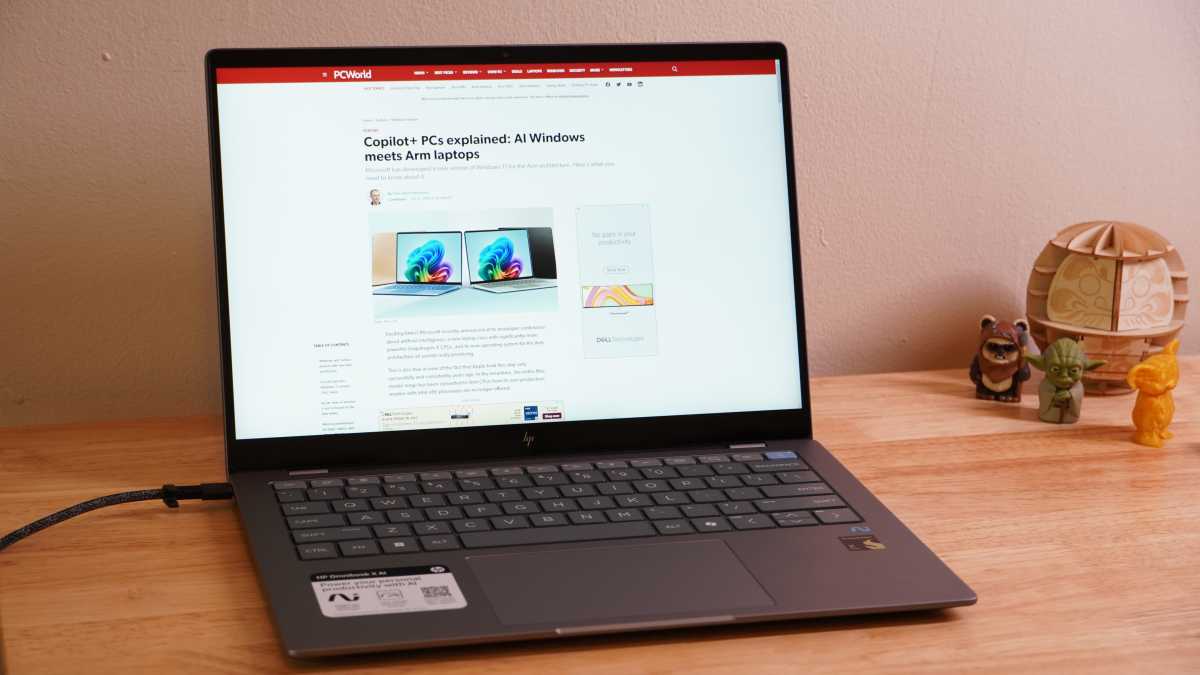
Visually, it offers much of the polish of a MacBook in most areas except the display. There may not have been a way around it, as the spacing around the keyboard and trackpad is already fairly tight, but the display has rather sizable bezels at the top and bottom that are not so distracting but lend an unevenness to the look. The sharp corners at the top of the display also don’t meld well with the smooth corners of the lid.
This little fumble may be worth overlooking though, as the layout of the base is quite satisfactory. The keyboard isn’t cramped and as much as I’d love to see HP’s little navigation column at the right edge of the keyboard, it’s enough that HP didn’t try shrinking the right shift key or some other such heinous design move.
The trackpad below the keyboard is reasonably large, and blends well with the looks of the system. The laptop is nice and slim, both above and below, measuring just over a half-inch thick and weighing a hair under 3 pounds.
Above the display, HP has fitted a 5MP webcam, which includes a physical privacy shutter. The shutter uses black and white diagonal lines for visibility, but I find this can be hard to distinguish from simple glare on the glass cover — a red cover would have been more prominent.
The HP Omnibook X offers a wide grille for pulling in fresh air beneath the system, and it appears to have a fairly effective little exhaust system. While the exhaust vent faces the screen, HP has sculpted the hinge in such a way that it doesn’t so much obstruct the vents as it does channel them.
When the display is open, the air will hit this angled guide and be vented up across the display. If the display is closed, the air will be directed downward. The hinge itself could be somewhat improved though, as it has a propensity for wiggling after it’s been adjusted.
The display lid on the HP Omnibook X is only lightly adorned by a glossy HP logo, though there’s also a long antenna line running along the top edge of it as well. The underside of the laptop has similarly sparse features with one large rubber foot at the rear, two small rubber feet in the front, and two small speakers in front of the smaller feet.
HP Omnibook X: Keyboard, trackpad
IDG / Mark Knapp
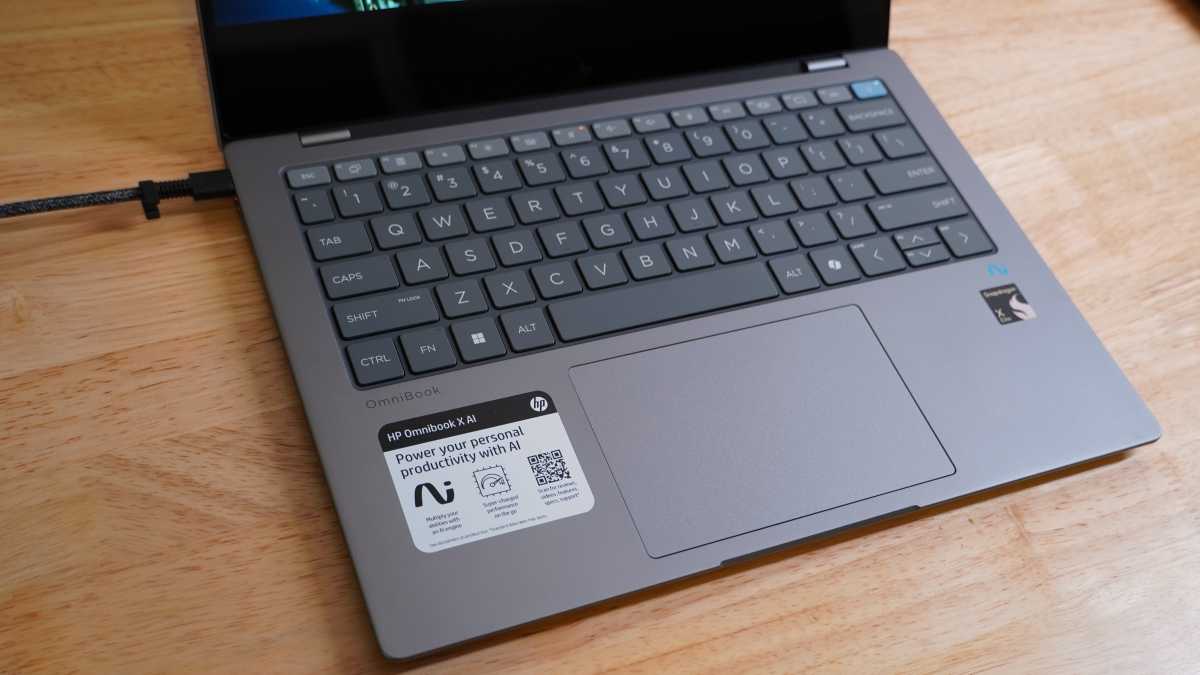
<div class="lightbox-image-container foundry-lightbox"><div class="extendedBlock-wrapper block-coreImage undefined"><figure class="wp-block-image size-large enlarged-image"><img decoding="async" data-wp-bind--src="selectors.core.image.enlargedImgSrc" data-wp-style--object-fit="selectors.core.image.lightboxObjectFit" src="" alt="HP Omnibook X keyboard" class="wp-image-2427643" width="1200" height="675" loading="lazy" /></figure><p class="imageCredit">IDG / Mark Knapp</p></div> </div></figure><p class="imageCredit">IDG / Mark Knapp</p></div>The HP Omnibook X keyboard is good but not exceptional. It has flat, almost rounded, keycaps with respectable stabilization, but the flipside of that stability is a surprising stiffness. Combined with a short travel, I’ve found it far too easy to under-press a key and end up with a missed stroke, especially when hitting the same key twice in a row. This either calls for much firmer taps which can get tiring, or a slower, more deliberate method of typing.
I was able to comfortably type along at about 100 words per minute with 95 percent accuracy, and once hit 124 words per minute with 99 percent accuracy, but that was the exception. As a Copilot+ PC, the HP Omnibook X also opts for a Copilot button instead of a Right Control key, a change from the long-standing layout that I still find inconvenient for many keyboard shortcuts.
There’s also some weirdness around alternative functions on the keyboard. By pressing Fn+Left Shift on the keyboard, you can activate a Fn Lock (which makes the secondary function of keys the default), but this seems to only apply to F1-F12 keys. Since the page navigation controls (Home, End, etc) are made secondaries on the arrow keys, there becomes no way to use them alongside the Shift key, making a nuisance of certain types of text selection.
The trackpad sits perfectly centered below the keyboard, making it comfortably accessible to either hand. It’s a decent size, plenty for mousing around the whole screen and multi-finger gestures. It’s satisfyingly smooth, responds well to taps, and it has a gentle hardware click that’s fairly easy to rely on, though it could use a little more force returning to its starting position as I find I occasionally fail to let it up enough to double-click.
HP Omnibook X: Display, audio
Autentifică-te pentru a adăuga comentarii
Alte posturi din acest grup
As another year of school kicks off, you may be scrambling for a dece

Tired of your old, clunky, worn-out power strip? Wish it was faster,

There’s a new generation of browsers coming to shake up the market an

For better or worse, the number of ways to watch NFL and college foot

The USA may be considered the land of the free, but the reality is di

As one of the most important technology companies in the world, Micro